I. Loss of autonomy
Essential services moved online — those locked out depend on others for basic rights.

Brief
THEME: "LEARNING"
The context
Essential services moved online — those locked out depend on others for basic rights.
Digital exclusion is social exclusion — dementia risk rises 50% (WHO).
Not using technology raises the risk of cognitive deterioration by 58%.
UX/UI guidelines
Look like real objects. No prior digital knowledge needed.
No decorative fonts. No ambiguity. Clarity over aesthetics.
Green, white and blue — colours that don't alarm.
Font — Inter · Regular / Medium / Bold
Senior
Colors
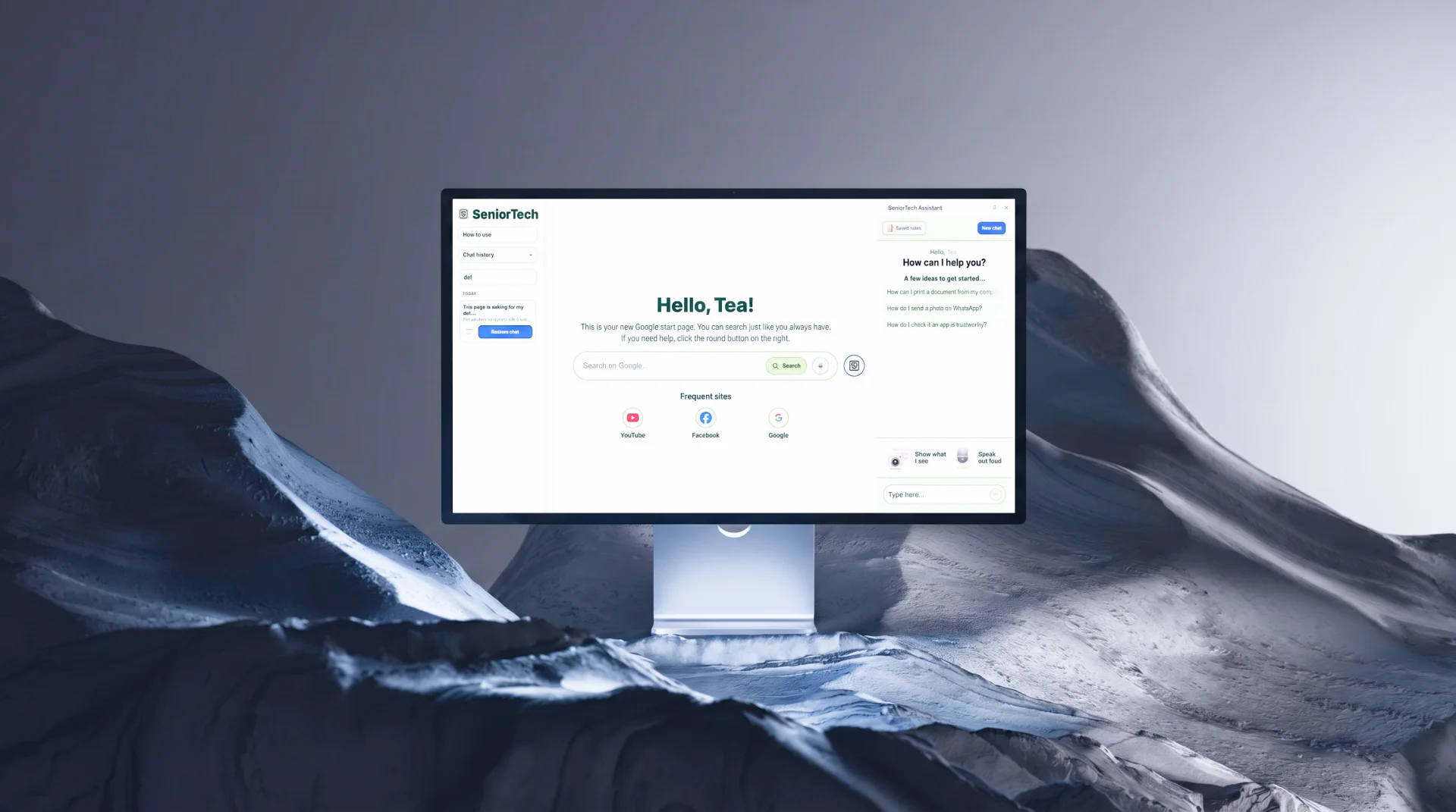
Meet SeniorTech
Each message is classified into an intent and answered by a different assistant. Pick one.
CLASSIFY(msg) → …
I. Explain
Analogies built from the user's own life.
The cloud? Think of it like keeping your favourite recipes in a box you can open from anywhere — not just your own kitchen.
II. Guide
One step at a time, each one confirmed.
III. Protect
Calm first — then the solution.
Don't worry — it's good that you're being cautious. Nothing is lost. Let's check this together, one thing at a time.
Product main features
Can't find something? Send a screenshot. The AI sees the screen and picks up exactly where the user got stuck.
Type nothing. Just talk. The extension transcribes and responds — useful when hands or eyes aren't free.
Every useful answer can be saved. One tap. Accessible anytime from the dashboard — no searching through chat history.
Personalized analogies
onboarding data
Tea, 71.
UX designer.
Loves cooking & painting.
Lives
in Turin.
question
“What is a cloud?”
analogy answer
“…like keeping your favourite recipes in a box that you can open from anywhere.”
Conclusions
The AI itself had to be designed — structure, tone and flow, controlled with precision.
intent = "safety"
Seniors need technology that respects their pace and how they already make sense of the world.
intent = "guide"
Built in 30 days — it deserves development beyond the brief.
intent = "action"
Built with
You reached the sea floor
I'll put the kettle on.